
The problem
You start a build, a long download or a local server, then you need to leave. Close the lid and the Mac sleeps. Leave it open and your bag gets warm.
What I built
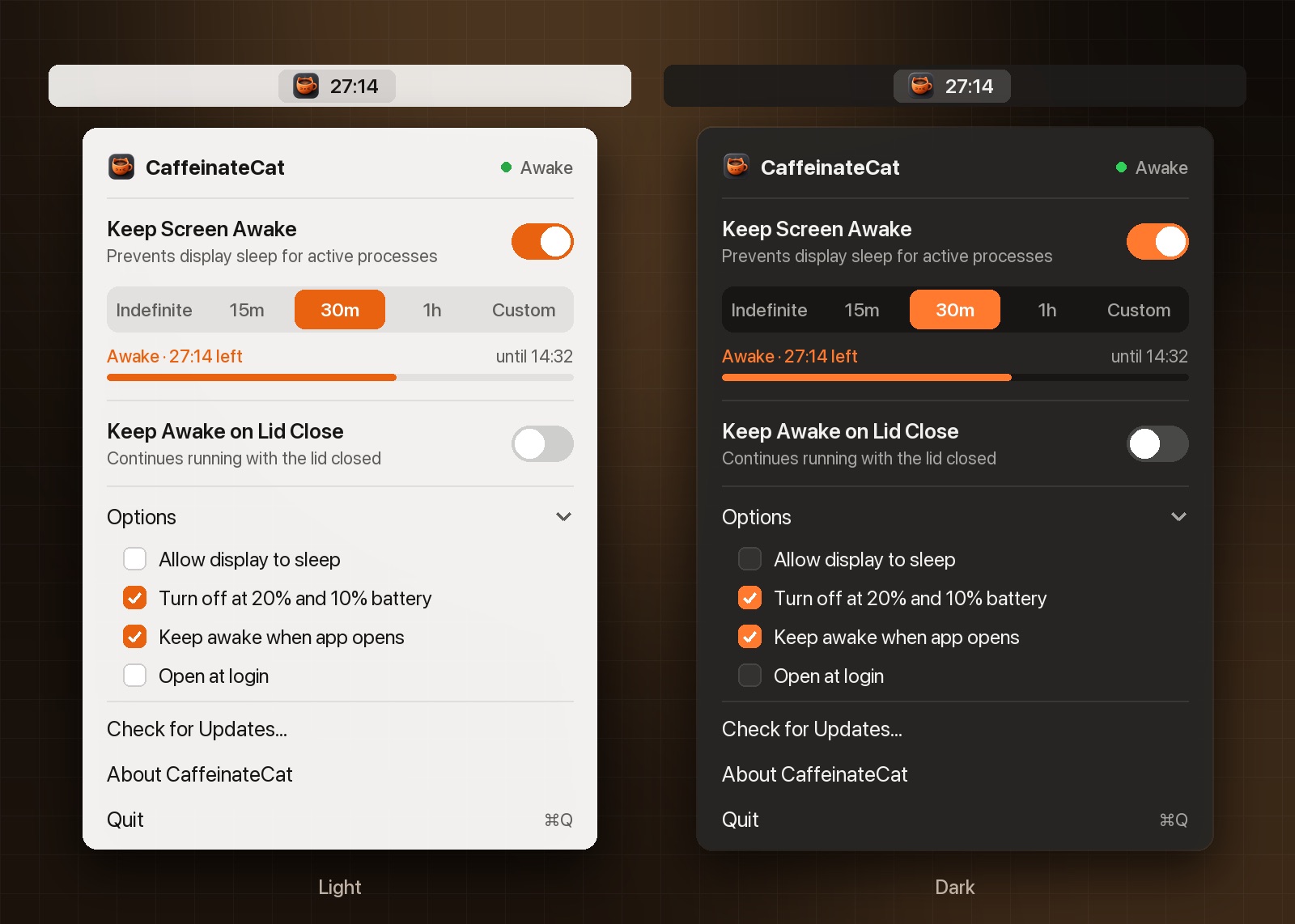
CaffeinateCat sits in the menu bar as a coffee cup that doubles as a battery gauge. It has two modes. Keep Screen Awake stops idle sleep. Keep Awake on Lid Close keeps everything running with the lid shut, even on battery. Set a timer or leave it on, and when it ends the Mac goes back to normal. It switches itself off at 20% and 10% battery so a Mac in a bag can’t run flat.
The hard parts
The first mode is easy. The second one isn’t. On Apple Silicon, the only reliable way to stay awake with the lid shut on battery is pmset -a disablesleep 1, which needs root and survives reboots. That’s dangerous if an app forgets to undo it.
So the app installs a tightly scoped sudoers rule that allows exactly those two pmset commands and nothing else, after one admin prompt. Then it goes out of its way never to leave sleep disabled: it restores it on quit and on signals, a watchdog process restores it even after a crash or kill -9, and on the next launch it checks whether something went wrong and fixes it.
It’s open source under Apache 2.0.