 OAFOpen All Files
How OAF opens almost any file, and saves without breaking it
Detecting file types from their bytes instead of their names, a spreadsheet engine with loop detection, and why OAF patches Word and Excel files instead of rewriting them.
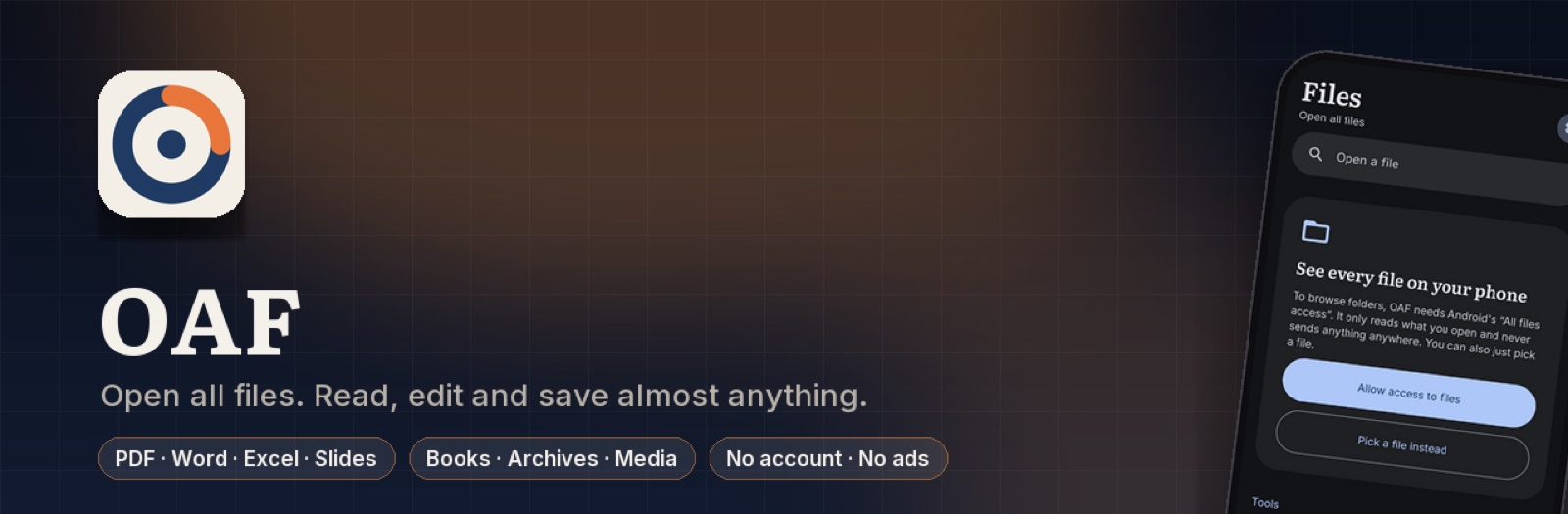
OAF is an Android app that opens PDFs, Word, Excel, slides, e-books, archives, pictures, audio and video, and edits most of them. “Open everything” sounds like a list of parsers. In practice the interesting problems were somewhere else: working out what a file actually is, and saving a file you only half understand without damaging the rest of it.
What it solves
A phone collects files from everywhere: email attachments, downloads, chat apps, a network drive. Opening them usually means one app for PDFs, another for Word, another for zips, and some of those want an account or upload the file somewhere first.
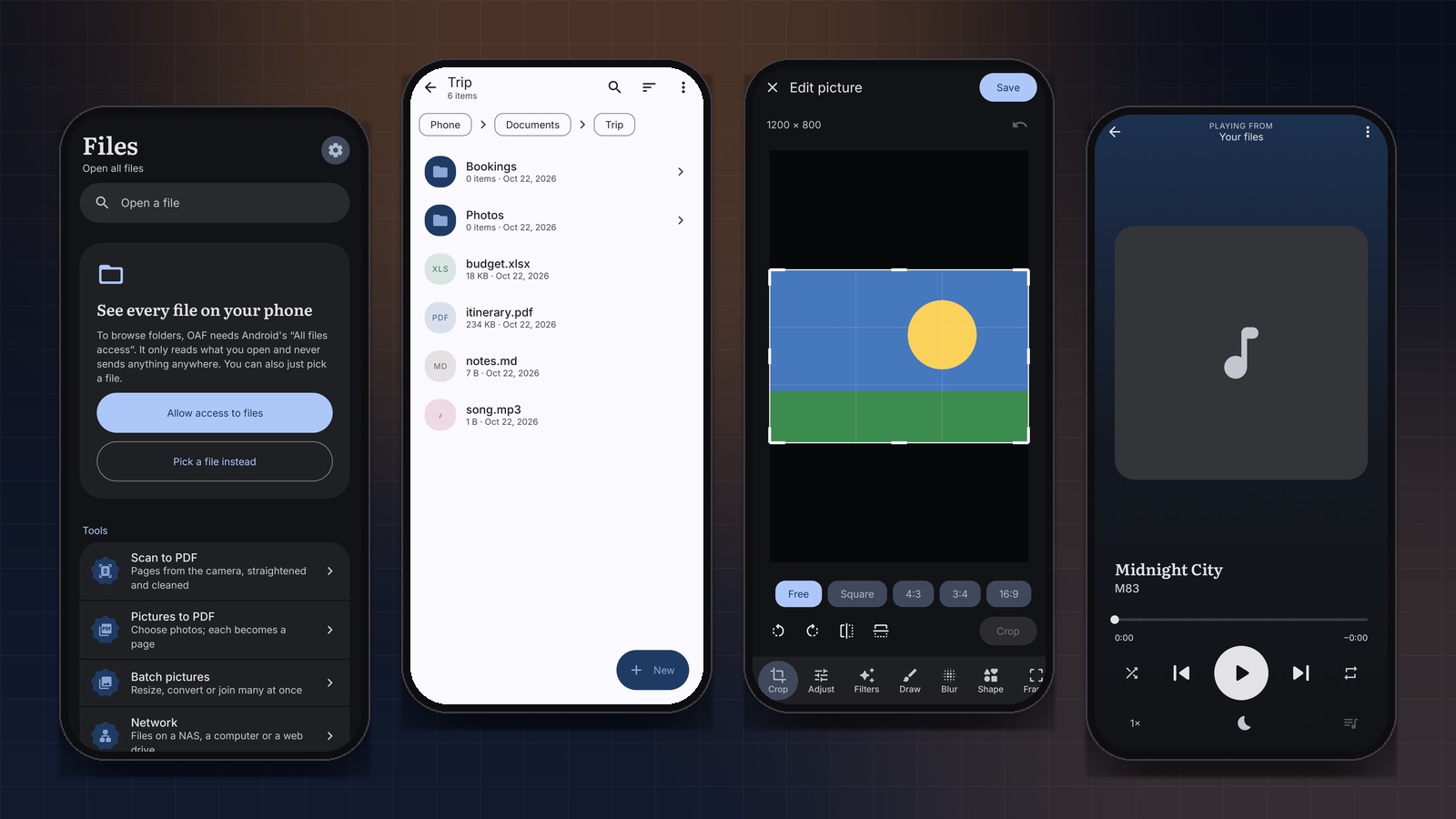
OAF is one app for all of it. It’s reader first, so the page is the interface and the bars slide away while you read. Files come from its own browser, from Recents, from network drives over SMB, SFTP, FTP and WebDAV, or from any other app through Open with. Nothing is uploaded.
Built with
- Kotlin and Jetpack Compose with Material 3, on Android 10 and up.
- Apache POI and PdfBox-Android for Office files and PDFs.
- Apache Commons Compress, XZ for Java and junrar for archives.
- SMBJ, JSch and Commons Net for network drives.
- ML Kit on the device for the picture tools, like removing a background.
- pdf.js, docx-preview and SheetJS, bundled inside the app, as optional second opinions.
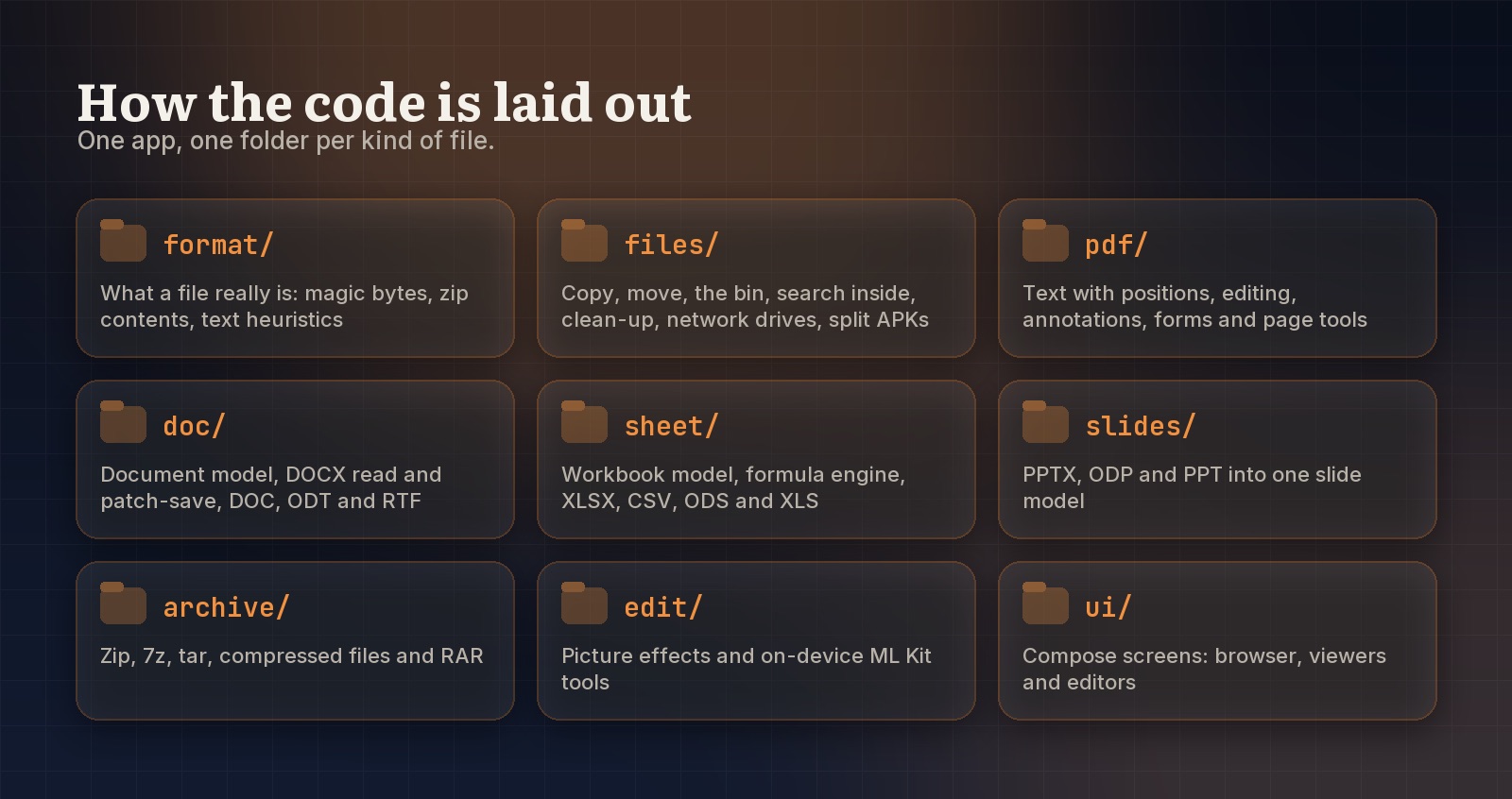
engine/ decides which of them opens what.Don’t trust the file name
Files arrive with wrong extensions all the time. A .doc that’s really a .docx, a download called file with no extension at all, a photo renamed by a chat app. So OAF reads the first few kilobytes and decides from those. The name and MIME type only break ties.
PK only tells you it's a zip; the names inside tell you which.The first step is one when over magic numbers. It reads almost like a reference table:
return when {
    ascii(0, "%PDF") -> FileKind.PDF
    at(0, 0x50, 0x4B, 0x03, 0x04) || at(0, 0x50, 0x4B, 0x05, 0x06) -> FileKind.ZIP
    at(0, 0xD0, 0xCF, 0x11, 0xE0, 0xA1, 0xB1, 0x1A, 0xE1) -> when (ext) {
        "xls", "xlt" -> FileKind.XLS
        "ppt", "pps", "pot" -> FileKind.PPT
        else -> FileKind.DOC
    }
    ascii(0, "{\\rtf") -> FileKind.RTF
    at(0, 0x37, 0x7A, 0xBC, 0xAF, 0x27, 0x1C) -> FileKind.SEVEN_Z
    ascii(0, "Rar!") -> FileKind.RAR
    ascii(257, "ustar") -> FileKind.TAR
    at(0, 0x89, 0x50, 0x4E, 0x47) -> FileKind.IMAGE
    ascii(0, "RIFF") && ascii(8, "WEBP") -> FileKind.IMAGE
    ascii(0, "RIFF") && ascii(8, "WAVE") -> FileKind.AUDIO
    ascii(4, "ftyp") -> ftyp(h)
    // ...
    else -> null
}
A few of these are worth knowing. Old Office files (.doc, .xls, .ppt) all share the same eight-byte header, because they’re all the same compound file container, so that’s the one place the extension gets a vote. A tar file keeps its signature at byte 257, nowhere near the start. And ftyp at byte 4 covers HEIC photos, M4A audio and MP4 video, so OAF reads the brand after it to tell them apart.
When the bytes say zip, OAF lists the entries, but only then, because opening a zip directory costs more than reading a header:
if ("mimetype" in set) {
    when (text("mimetype")?.trim()) {
        "application/vnd.oasis.opendocument.text" -> return FileKind.ODT
        "application/epub+zip" -> return FileKind.EPUB
        // ...
    }
}
if ("[Content_Types].xml" in set) {
    when {
        names.any { it.startsWith("word/") } -> return FileKind.DOCX
        names.any { it.startsWith("xl/") } -> return FileKind.XLSX
        names.any { it.startsWith("ppt/") } -> return FileKind.PPTX
    }
}
if ("AndroidManifest.xml" in set && names.any { it.endsWith(".dex") }) return FileKind.APK
Every result then goes through one registry in engine/Engines.kt that decides which viewer and editor open it. Having one place own “who opens what” made adding formats later a small change.
Saving what you don’t understand
This is the part that matters most. A Word file can hold a huge amount OAF doesn’t model: fields, comments, headers and footers, section settings, unusual formatting. An editor that reads a document into its own model and writes that model back out quietly loses everything it didn’t understand. You fix a typo and your table of contents is gone.
So OAF doesn’t rewrite the file. It patches it.
Word. The save runs in three passes over the live XML document. Paragraphs you deleted leave it. New ones are slotted in after the paragraph before them. Then only changed paragraphs are rebuilt:
// 3. Changed paragraphs are rebuilt.
fun save(p: Para): Para {
    val e = elementFor(p)
    val clean = if (p.el === e && !p.dirty) p else p.copy(el = e, dirty = false)
    val last = doc.written[e]
    if (p.dirty || (last != null && last !== p) || (p.el == null && last == null)) writePara(context, p, e)
    doc.written[e] = clean
    return clean
}
The doc.written map is what makes undo safe. It records which version of a paragraph was last written into each element, so undoing after a save writes the older version back instead of duplicating or losing paragraphs.
Excel. Cell data, column widths, merges and frozen panes are rewritten in each sheet’s XML. Charts, drawings, defined names, conditional formats and the shared strings table are left alone, with new strings added to the end. The workbook is marked with fullCalcOnLoad, so Excel recalculates everything when it next opens the file and never trusts a number OAF computed.
PDF. Edits go through PDFBox, each one into a new working copy, so undo is just stepping back through copies. Protected PDFs open with their password and are protected again when saved.
A spreadsheet engine
Editing a spreadsheet on a phone is pointless if the formulas don’t work. OAF has its own parser and evaluator with about a hundred functions: maths, statistics, logic, text, lookups including XLOOKUP, and dates.
The parser is a plain recursive descent parser, one function per precedence level, in Excel’s order: comparison, then &, then + and -, then * and /, then ^, then unary minus, then %. The evaluator caches results and catches loops by remembering which cells it’s in the middle of computing:
fun cellValue(sheet: Sheet, r: Int, c: Int): Value {
    val key = sheet to sheet.key(r, c)
    done[key]?.let { return it }
    val cell = sheet[r, c] ?: return Value.Empty
    if (!cell.isFormula) return Workbook.literal(cell.input).also { done[key] = it }
    if (!visiting.add(key)) return Value.CIRC   // A1 needs B1 needs A1
    // ... evaluate ...
    visiting.remove(key)
    done[key] = v
    return v
}
Insert or delete a row and every formula pointing across it is rewritten, the way Excel does it. Delete rows 5 to 7 and =SUM(A1:A10) becomes =SUM(A1:A7), while =A6 becomes #REF! because the cell it pointed at no longer exists. The rewriting skips anything inside string literals, so ="A1" stays text.
Testing the boring parts hard
There are more than 200 unit tests. The ones I’d point anyone to are the round trips: open a real .docx or .xlsx, change one thing, save, and check that only that thing changed. That’s the test that proves patching actually works. The formula engine is tested function by function, and archives get tests with entries named things like ../../something, because an app that extracts files has to assume someone will try to write outside the folder.
Where it stops
It’s not a full office suite. There’s no tracked changes review, comments, footnotes or charts in the editor. Slides and EPUBs are view only, and old .ppt files only show each slide’s text. A drawn signature is a picture on the page, not a cryptographic signature. RAR5 archives can’t be opened.
OAF is on GitHub under Apache 2.0, with no ads and no analytics.